


Announcements
hCaptcha WebMCP: A New Way for Agents to Interact
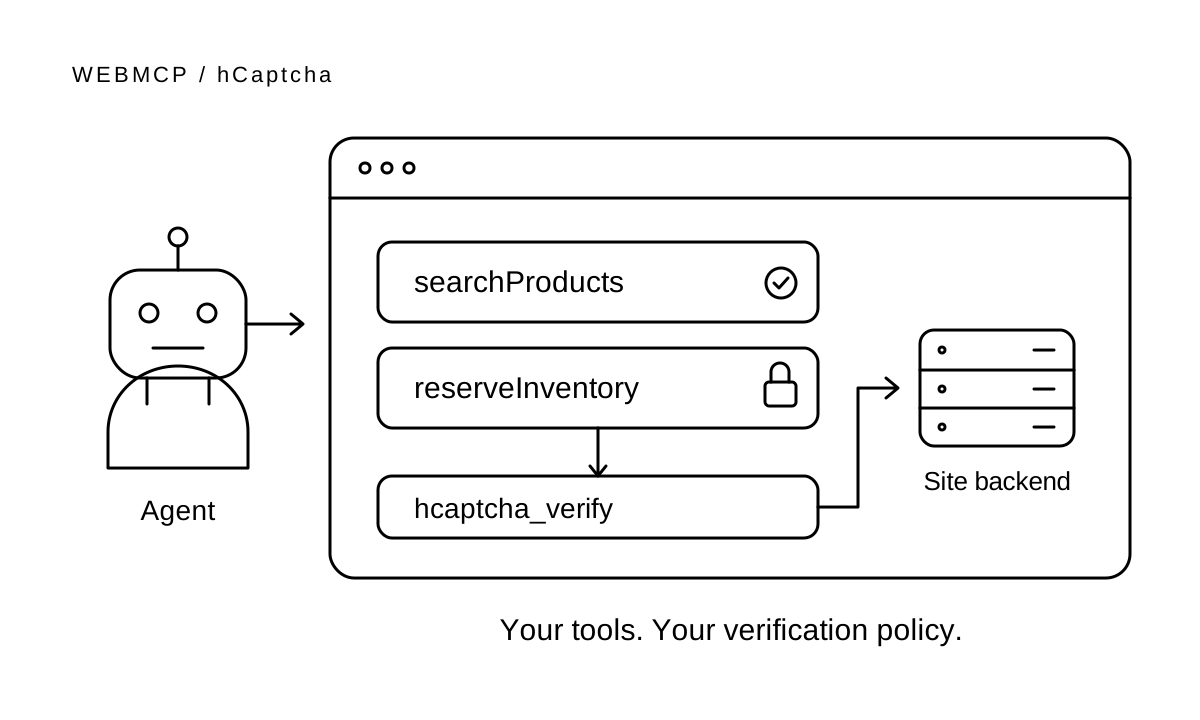
hCaptcha Enterprise now supports WebMCP, giving browser agents a direct way to request verification while letting site owners inspect tool activity and apply rules. You decide which actions require verification; your existing challenge settings still apply.
A shopping agent can search your catalog, then obtain verification before reserving inventory. Your backend validates the hCaptcha token before accepting the reservation.
Intro to WebMCP
WebMCP lets a web page expose named tools to browser agents. A site can define searchProducts or reserveInventory, describe what each tool does, and specify its inputs. The agent calls the tool through the browser instead of working out the action from buttons and page layout.
WebMCP is still a draft, but Chrome has already started rolling out support.
Note that WebMCP activity alone does not establish that a visitor is an active agent. hCaptcha evaluates agent detection separately, including via Web Bot Auth.
Verification stays in your flow
In the Enterprise Dashboard, open a sitekey's Features tab and turn on Enable hCaptcha SDK WebMCP verification tool. This setting defaults to off. Once enabled, the SDK exposes hcaptcha_verify to agents.
The tool starts verification, waits for verification already in progress, or uses an available response. A successful call returns status: "verified". The token stays in the page's widget, where your application retrieves it with hcaptcha.getResponse(widgetId) and sends it to your backend for normal Siteverify validation.
Enabling the tool does not force Passive Mode or bypass challenges. The protected endpoint must reject invalid, expired, or already-used tokens before performing the action, then apply its normal authentication, CSRF, rate-limit, and business checks.
When a person must take over
If verification opens an interactive challenge, hcaptcha_verify returns status: "requires_human". The agent must stop and ask the person who initiated the task to complete it.
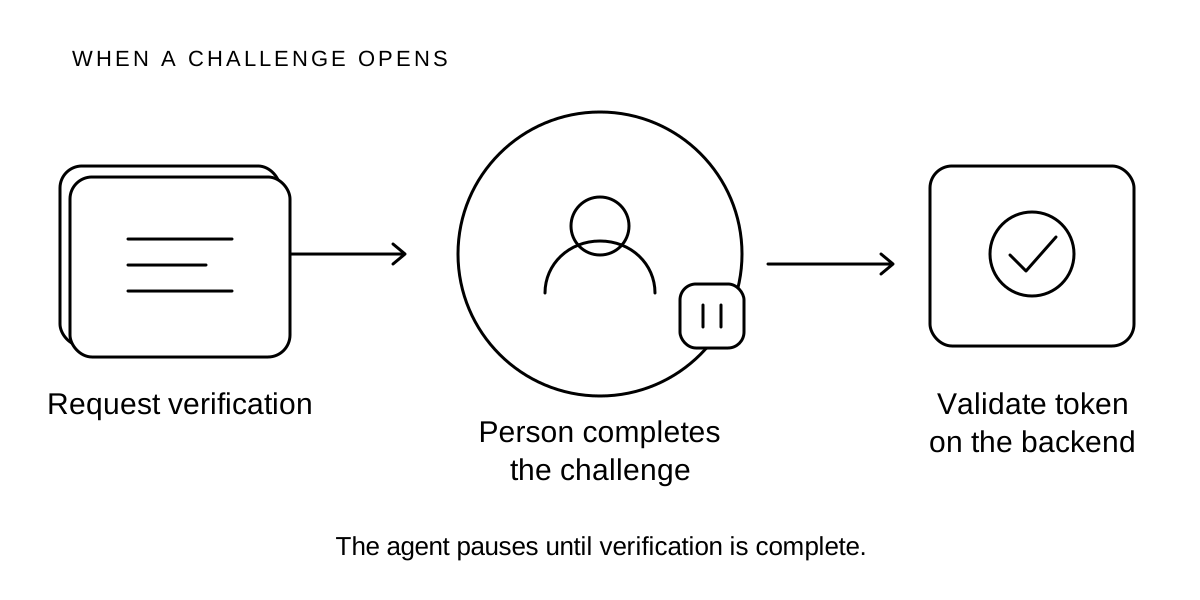
The challenge stays open in the browser. After the person completes it, the agent can call the tool again and the page can submit the resulting token. Closing the challenge without completing it does not verify the user.
See tool activity and apply rules
WebMCP activity is fully supported in hCaptcha Enterprise, and appears in User Journeys, Query analytics, etc. With User Journeys enabled, you can review named tool calls and cancellations alongside other session activity.
hCaptcha Enterprise can apply its full suite of automated detections and remediations based on your policies and agent behavior.
More details for hCaptcha Enterprise Customers
Read the WebMCP integration guide for setup and a protected-tool example. For cryptographic agent identification, see how hCaptcha supports Web Bot Auth.